Recently, OpenAI released an update regarding its new feature in ChatGPT. The Codex is a cloud-based engineering model which builds forgenerating code, improve writting, fixing bugs and more features are included. So, what is Codex and how does it work? Let’s learn.
Codex works as an agent and it completes given tasks frequently. Artificial Intelligence (AI) has changed everything in the field of Technology. Creator develops new tools and sites using AI.
In this guide, I will guide you on how Codex works. Its features, and why is it essential for beginners? We discuss on it’s useful features and range of ability that how it can perform well than others.
What is Codex?
The Codex is an AI Coding agent that generates code and fix buggs for developers. It is owned by OpenAI, its specifications are detects buggs and fix them with proper code, write code and review.
The ancient word “Codex” has been used since 1661, which was borrowed from the Latin word “Caudex”. Other sources say the codex is an ancient book handwritten on pages and stacked.
In modern times, the Codex serves as an AI Code Generator widely used by developers. For non-coders, it might be tough to learn. A programmer can well understand the use of Codex, and he already has knowledge of generating code and using it.
Codex Works for the Following Things
I mentioned here some useful points that codex perform accuratley. Developers can create code and build any software with simple instructions.
- Write Code: Codex is specially built for coders; a developer can convert their ideas into software or create a solution-based application to solve the problems of people.
- Analyse Code-bases: Codex analyses and reads the code, gives a proper guide and helps you organise it in the system. It can explain complicated code into simplest form.
- Debug: When a code has many bugs and needs fixes, it can be fixed without interrupting. It can dignose a error and improve it based on file data.
- Review: Codex take an review process, developers spend more time reviewing the large coding file. But, Codex make it easier. It can deeply analyse the root cause of errors, debugs and other errors.
Why Should You Learn Codex in 2026?
Every devopler want to become an expert, so when new updates and software launches, they should use them to learn new skills and make work easier. AI is making changes every day, and every day new softwares lauches for better work automation.
Codex helps coders, it makes difficult things easier and provides access to advanced level AI Agent.
Key Features of Codex
Codex writes huge code based on text; it can create a program in any programming language with accuracy. It can store and manage the data, reduce repetitive code and fix errors.
It works as an agent, and you collaborate with it when generating code. It works better when instructions are clear.
Also Read: 5 Free AI Graphic Designing Tools for Beginners in 2026
How to use Codex Properly? – Guide
I will give a Python function task to Codex, and let’s see that how we can create and fix it properly. Follow these instructions to set up a Codex account.
Step 1: Find Codex in ChatGPT Sidebar
Codex is accessible with ChatGPT; you can see the feature in the sidebar. Every user can access it for free.

Step 2: Create a Codex Account
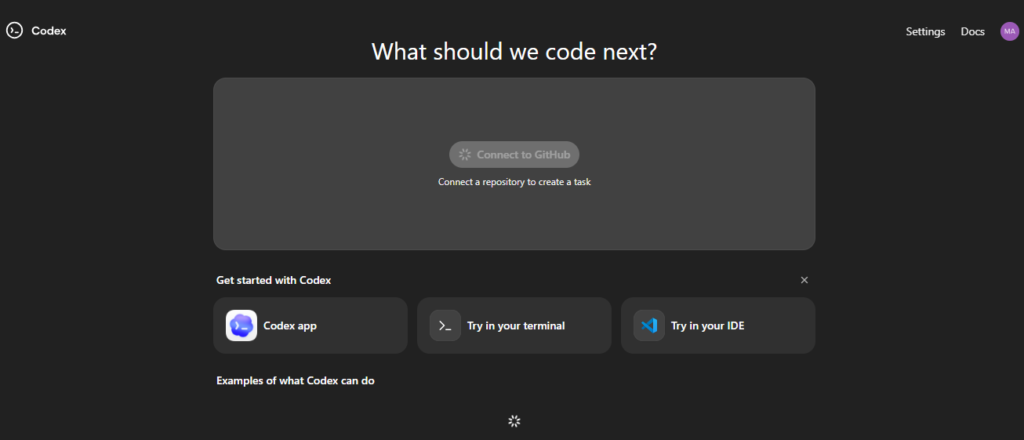
When you click on “Codex”, the new tab will open. After a few checks, you’ll see an option for “Connect to GitHub”. Click on it and it will require authorisation (as you can see in screenshot) and click on it.
The “Turn on MFA to continue” option will appear; click on it. The codex will connect the account to Git Hub and the entire process will be completed within a few seconds.
Step 3: Authorise Account Using Authenticator
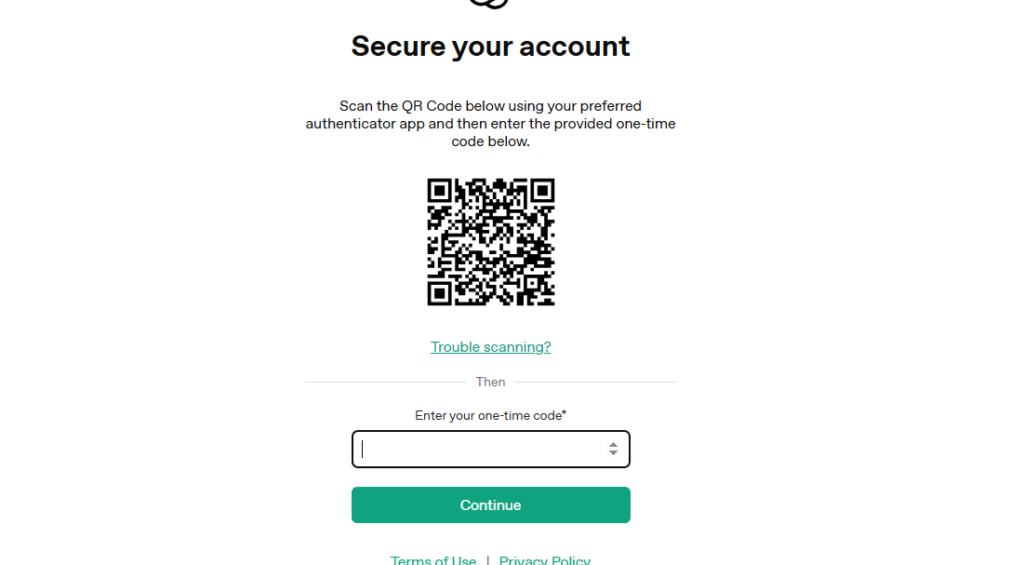
After clicking on MFA, the new window will open. It means to authenticate code, so I used the Authenticator by Google and scaned the code.
Step 4: Sign In or Up to GiT Hub
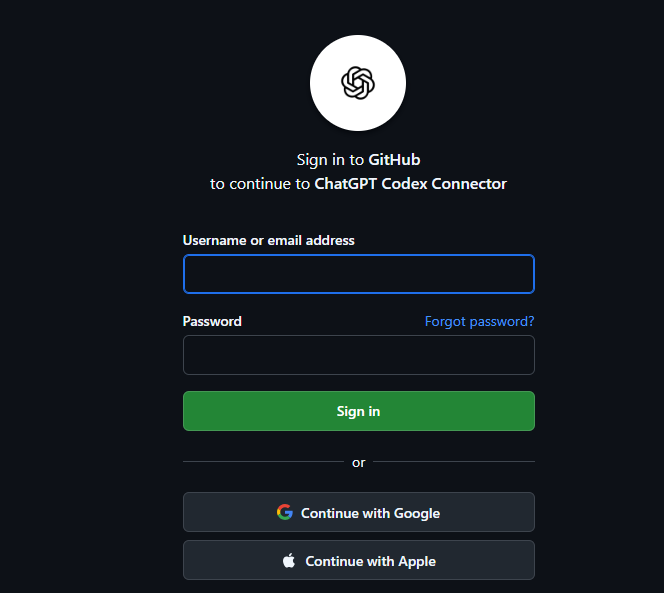
Create an account on GitHub, then log in to it. You’ll see login methods, click on “Continue with Google”. After a few checks and account verification, you’ll be redirected to the final stage, and then click on “Authorise ChatGPT Codex Connector”.
Step 5: Everything is Done
You have completed all steps. Now, the codex is ready to work. As shown in the screenshot.
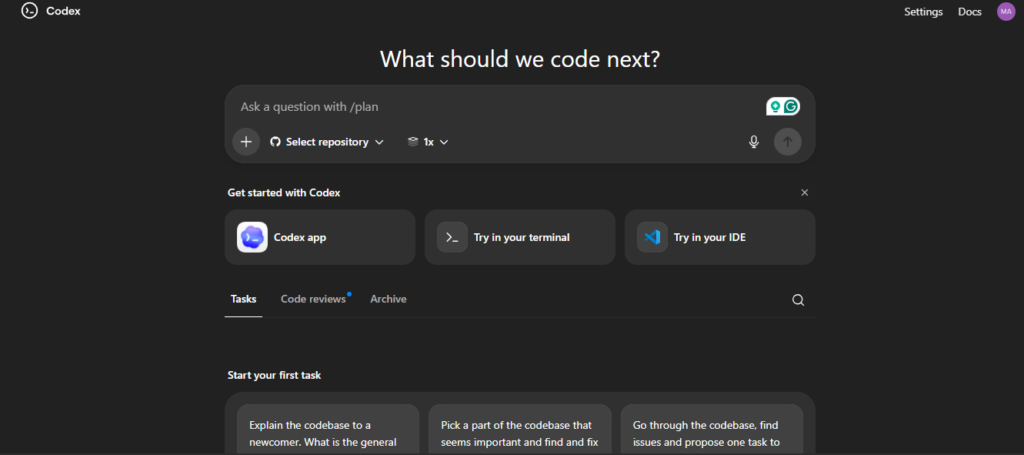
I Created Pyhton Program using Codex
I write a prompt to Codex. As you can see below, I have pasted a prompt in Codex and what result it has generated. You should write a clear prompt and define the purpose of creating the code. So, the codex can easily understand what a user wants to create.
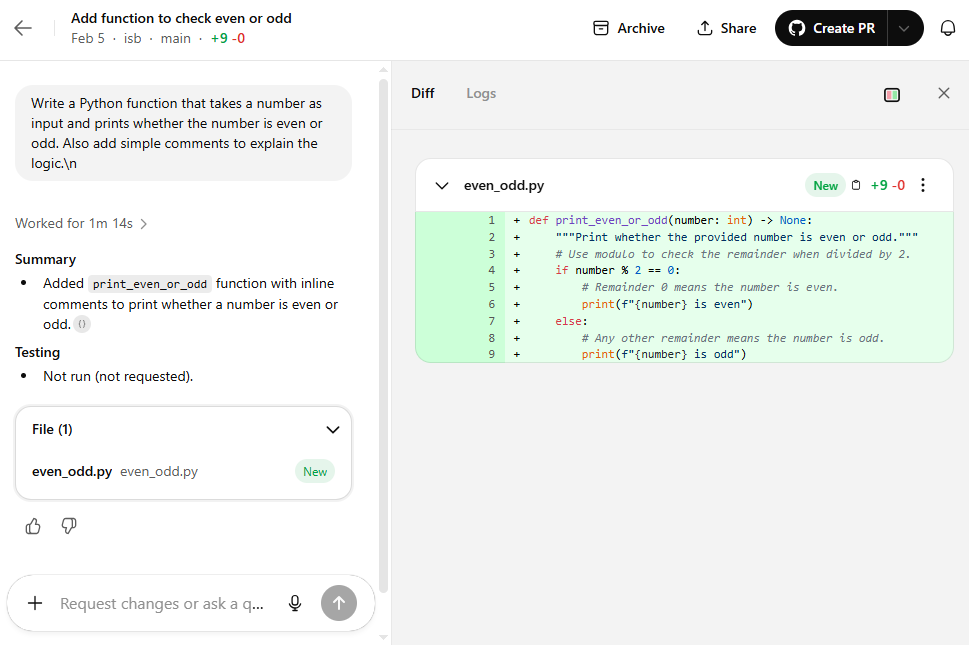
Review the Code
When the Codex is generated, you should review it carefully. Sometimes AI can make mistakes, check errors in coding, and improve it. Test every code, if you don’t understand what to do. You need to ask ChatGPT to review it, and it can review carefully and fix everything if needed.
Next Step
After the completion of the process, I review the code with an online python complier.
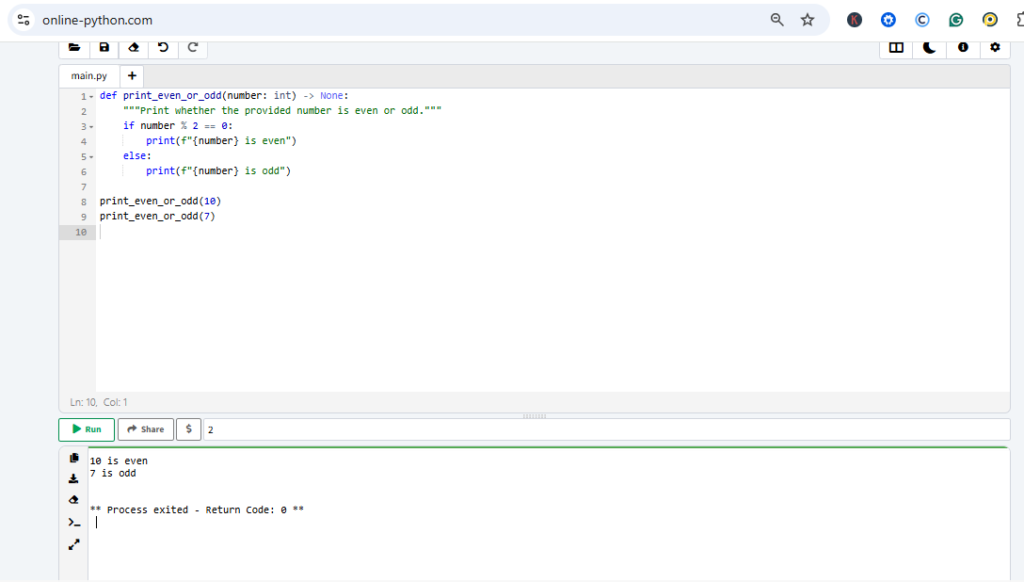
As you can see in the above snapshoot that we have created a code using Codex and run it successfully.
Conclusion
The codex is a new model for developers which is integrated into ChatGPT. The Codex make things easy for developers and saaS builders. Codex means build anything using the drag-and-drop method.
As I know about Codex, it is the best way to create code and build something. Technology reshapes everything day by day, and people are interested to learn AI.
The article is an overview of Codex, and I tried to explain things as easily as I could. I next article, we will discuss how to use Codex wisely and what we can build using Codex. Thanks for reading.
Ilyas Bajeer