What are free AI graphic design tools that every beginner can use easily? Every business owner needs a professional logo. If they hire a logo maker, he cost about $150, which is very expensive.
Logo designing, page cover and product designs are very important skills. Every small and large business uses modern logos to show their brand to more people. As time changed, the working style and demands also changed.
The use of AI is essential in every field of business, technology and education. I found 10 free AI graphic design tools for learners to create their own logos, banners, and product designs, and to work on freelancing platforms.
It doesn’t matter that you don’t have experience in graphic design. You’ll gain experience here. Some Tools are paid, but we focus on free tools which have free features for designers.
This article helps small business owners with social media managers, marketers, bloggers, students and educators. By the end of the article, you’ll be able to create your own logo or any other designs professionally.
Why You Need an AI Graphic Designing Tool?
Graphic Designing is a professional skill that is demanding nowadasy. Companies need a graphic designer who can convert ideas into graphics using AI graphic tools. People shift their mindset to Generative AI, which generates every tough thing into simple way.
Large businesses can hire a designer, but other small businesses can’t afford to hire one. So, at Fiverr, a logo designer takes charges from $40 to $1,000. This is very expensiveas I think.
Now, it’s time to learn AI Tools, which essenrial for business owners. Nowadays, every business is managed online. Graphic Designing is one of their first prority to desigb product which looks real and people can trust more.
What AI Tools Can Do?
Learn to know about AI tools, how a tool work and generate images. Among thousands of AI Tools, I prefered following AI Tools for graphic designing. Many graphic designers use AI tools and techniques to generate images, design products and readymade templates with one prompt.
Every AI tool works perfectly with the support of a prompt. A strong and useful prompt will bring perfect results. For beginners, the ChatGPT surely help to write prompts for designing.
AI Tools save your time, it can complete work in less time with accuracy. You don’t need to resize images, remove the background and add text. AI can automatically do it. It can give sugges what to add in the image, like font name & size, colour, background etc if you want to add manually.
How I Tested AI Tools?
I was creating a feature for my articles with Canva, and I did it manually. When I learned AI and preoprly use it, then I generated feature images quickly using the AI Tool.
There’s no tough technique; a beginner can very easily generate perfect images, logos, banners, and templates. Following the prompts I used for different tasks.
#1 Feature Images – Prompt
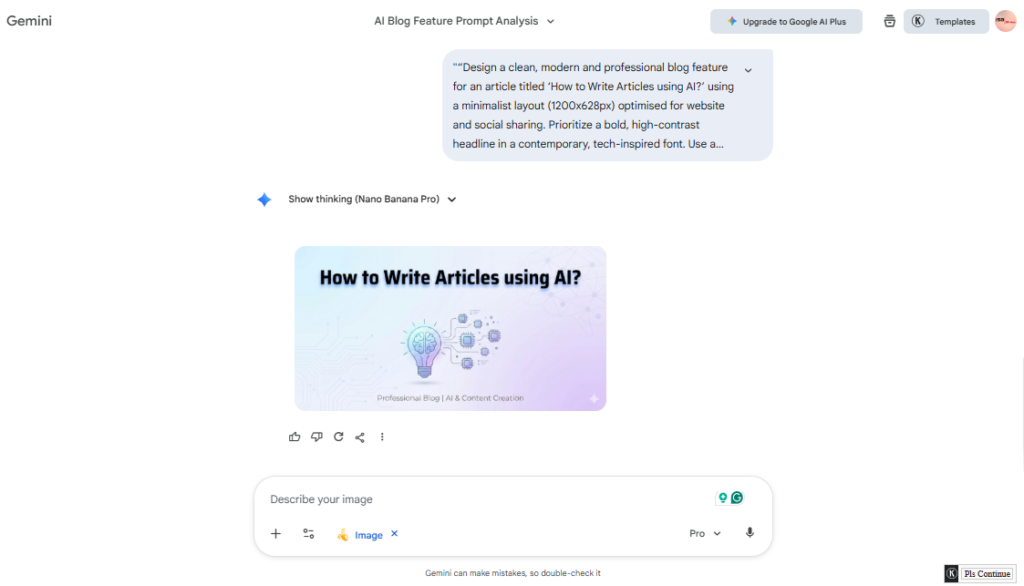
Let’s see in the screenshot how I have created a feature image using Google Nano Banana Pro. The tool has created a feature image that is 1200*628. For beginners, they can learn prompting at HubSpot.
#2 Social Media Posts – Prompt
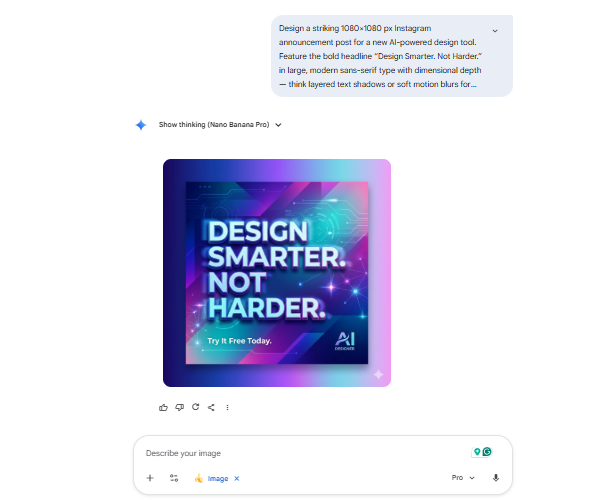
People often create social media posts daily, but they may not know how to create post images using AI. I tested this prompt, which generated a social media post shown in the screenshot below. The prompt is also shown in a screenshot.
Best AI Graphic Designing Tools
Some of the best AI graphic design tools that others use. Let’s see what I have learned and what projects I have created.
1. ChatGPT
Mostly, people use ChatGPT for their little tasks. It is my real assistant in life, it has helped me to generate ideas, article outlines, design and analyse documents. So, I always use it for any work.
In its free version, there is limition of generating images. But it still generates images as per the daily limit. See the result below in the screenshot.
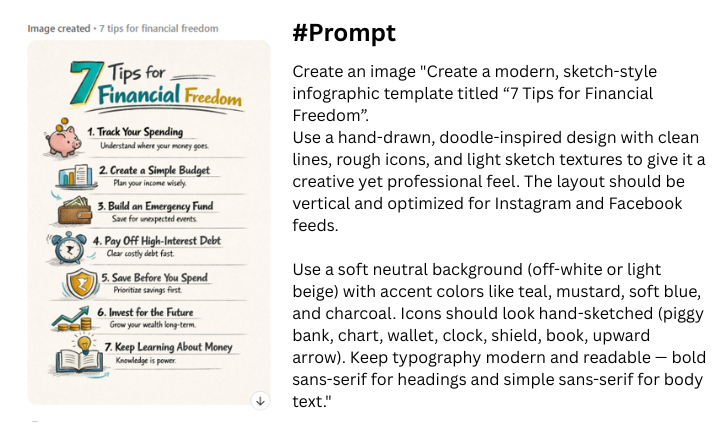
What do you need to do?: Paste the prompt in ChatGPT, adjust the requirements you want and mention what type of result you want, like an infographic, social media posts, logo, etc.
Pro Plan: For unlimited access to generate images, logos and templates. ChatGPT has three types of pro plans (Go, Plus & Plus), each plan has different feature access and limitations.
2. Canva
Canva is widely used by graphic designers; it has various design tools and free features that allow every user easily create and design anything. I have been using Canva since I started blogging. I create posts for my Facebook page, twitter and WhatsApp groups.
When Canva integrated the AI feature, it enhanced the features and made it easy to create. Canva added the “Ask Canva” feature, which generate result by submitting a prompt. I created a simple logo using a prompt which is given below.
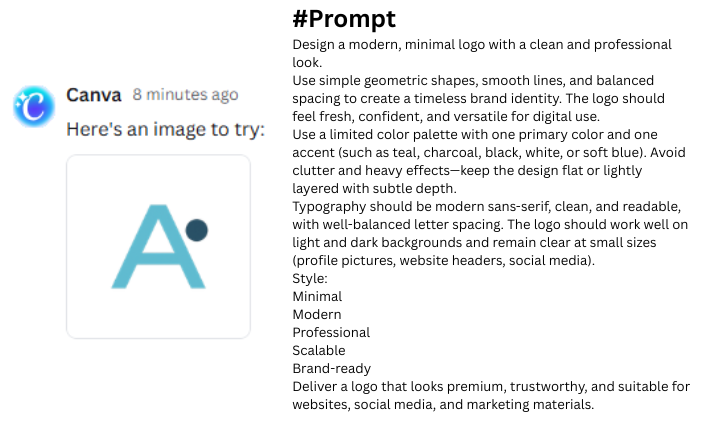
Pro Plan: There are four types of pro plans for designers. Thefirst is free, the 2nd is for individuals, which costs Rs. 9200/m, the 3nd is for business, which costs Rs. 15,000.
Best for: Canva is the best design tool for entry-level designers. Its beginner-friendly interface gives access to free features to use for your work.
3. Gemini – Nano Banana
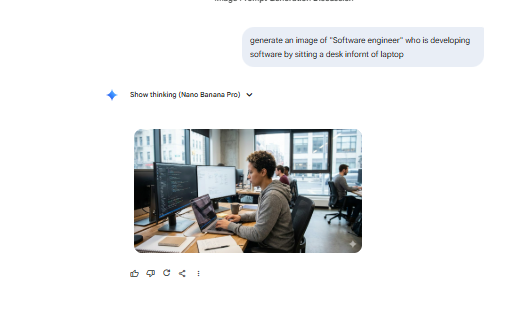
I use Google Nano Banana for image generation. It is free to create any type of image, write a prompt and it will generate images, infographics, graphs and more. Write a clear prompt.
I’ve created several images with Google Nano Banana, which are shown below. A powerful and clearly written prompt can generate the best output. It can generate unlimited images, it’s totally free.
Pro Plan: Google Gemini offers various pro plans. The price of the “Google AI Plus Plan” is Rs. 700/m. While the price of the AI Google Pro is Rs. 5600/m. The Google AI Ultra’s price is Rs. 35,000/m.
Best for: The free plan is best for beginners. First, they should learn, then go to the pro plan for advanced features.
4. Leonardo AI
For entry-level designers, the Leonardo AI generates useful images, logos and banners. I have used it to check its response and functions, which have quickly responded to me and generated the best results.
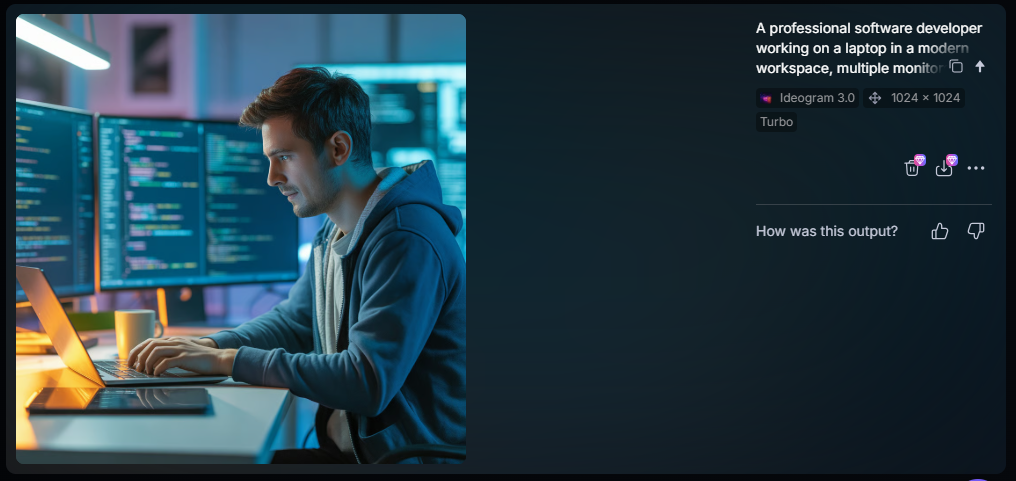
It offers images, video generation and more features. All designer tools are available in one place. I have pasted this prompt to Leonardo AI, see below:

It has generated outstanding results, the result is based on your prompt. As you write clearer you get clearer results.
Result
Free Plan: You have only 150 credits in the free plan, you need to upgrade plan with unlimited image generation.
Pro Plan: It has three pro plans. The Apprentice Plan cost $10/m. The Artisan Unlimited Plan costs $24/m. In addition to this, the Maestro Unlimited Plan cost $48/m.
5. Microsoft Designer.ai
Microsoft Designer AI is a free tool for designers which is compared with the best design tools. It also has the best image generation features, which are generated using prompts.
Choose an option for image generation, select image size and paste a prompt. You can write a prompt using ChatGPT or any other tool, as shown in the screenshot below.
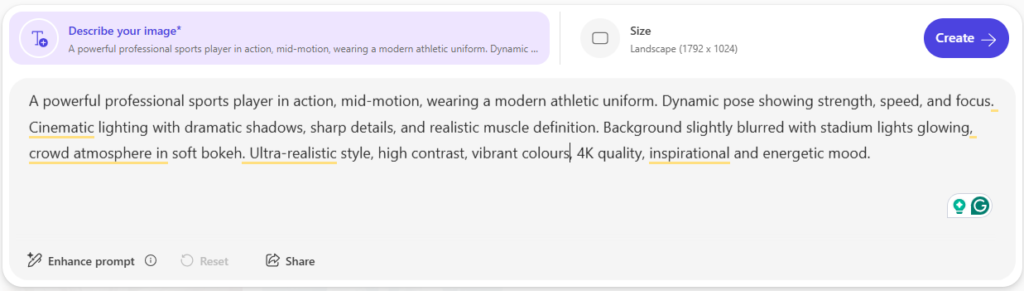
After submitting the prompt, it generates various results. But it has limited credits you can create multiple accounts to generate more images for free. The results are shown in the screenshot.

Pro Plan: It costs Rs. 2299/m for a personal plan. For the family plan, it costs Rs. 2899/m. It costs Rs. 5590/m for the premium plan.
Which one is the best tool?
I recommend these tools to you: Canva, ChatGPT and Google Gemini. These tools always perform well for professional work. Every freelancer and individual creator uses these tools for designing.
- Canva: It is best for beginner and professional-level designers. I personally use it, I design logos, page banners, website feature images, social posts and resumes. Its free plan offers unlimited access to useful features.
- ChatGPT: It is a popular chatbot among others. I instruct ChatGPT to write prompts for designing posters, images, etc. With high accuracy, it write prompt for me.
- Google Nano Banana: I recommend it for you, because it has the ability to visualise your ideas and text clearly. It generates infographics, images, logos and more. The free version is most useful; there’s no limitation on using it.
How to build a successful career?
In the tendency of AI, a student, a businessman and an employee want to be successful in life. Success is behind the struggle, if you struggle, you’ll be successful.
If you want to achieve success as a graphic designer, it requires hard work and smart work techniques. A successful graphic designer has abiltity to convert text into visuals professionally.
- Passion: If you’re passionate about graphic design skills, you must do it. Doing work with passion can be more successful. Don’t force yourself to learn different things that you do not want to learn.
- Develop Work Style: Your own work style provides you with the freedom and identity. It means how you can adjust colours, text, fonts and styles.
- Be a Professional: In every field, professionalism is the backbone of you. It shows your ability, level of work and responsibility.
- Continue learning: Consistently learn something new about your field. Update your knowledge, working style and learn new designing software.
Conclusion
Graphic Designers are looking for a new tool that can enhance their work. I read various articles on graphic design and found the above AI Tools for designers, which are widely used today.
These are beginner-friendly tools for new designers. In this article, I have covered essential tools, use case and a complete guide. These tools work better with prompting.
Prompt writing is the art of describing your thoughts, goals and tasks. You can learn advanced graphic design methods, updates, and tips.