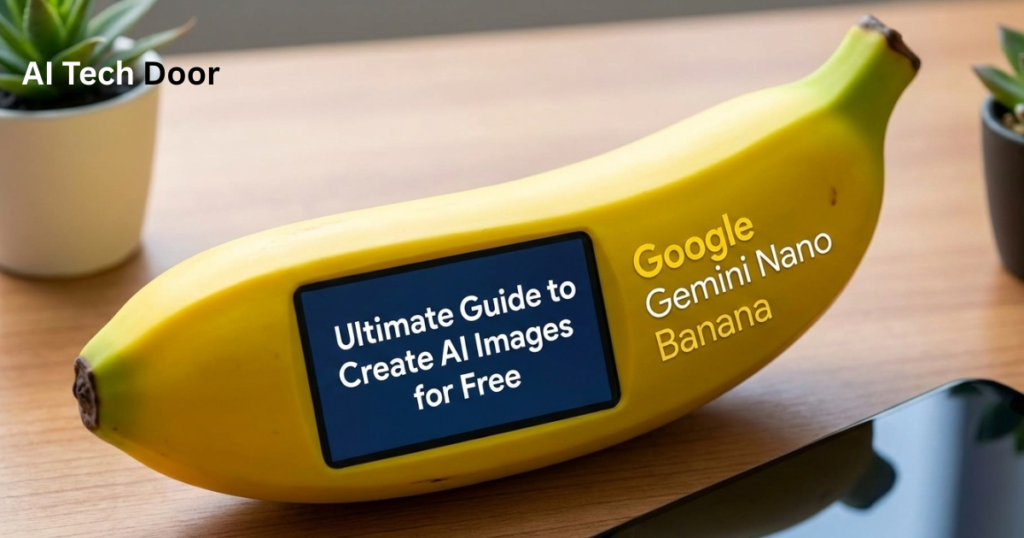
People search for how to create AI Images because the AI Tools generate realistic images for users. Every social media user needs a prompt to generate an image. Primarily, people seek Nano Banana AI image prompts to create natural and realistic images.
Having a clear intent and structure to create AI images requires a well-written prompt. AI boats respond well to prompts. Anything you create, like an image, text, resume or code, you will need to tell your requirements through a style, action, quality and type.
Why do I prefer you Nano Banana? Nano Banana owns realistic and natural style image creating features which are performing best rather than other AI image generators. The Gemini AI Tool understands better how to generate images with clarity and simplicity.
In this article, I guide you on how to generate images and why it helps you in your industry to learn prompting. Prompt Engineering is a skill that everyone wants to learn. So, cover all aspects of prompts and generate images.
Why You Need Nano Banana AI Image Prompts?
Nano Banana image prompts are important for creators. Images describe emotions, ideas and vision clearly. Creating images manually takes more time. People look for alternatives to create images exactly as they want.
Also Read: AI for Beginners: How to Start in 2026 with Zero Experience
First, examine the parts of a prompt. When you understand what you need to include or exclude in the prompt like style, text and color. You’ll properly write prompts. Eventually, I found a way to understand the prompt with RTCF, which contains Role, text, context and format.
Nano Banan creates realistic images. You can see below how I have created an image of a kid with a printed box design. While in the background computer shows a blender model, which looks realistic image.

So, we understand the basics of the prompts with Nano Bana. Now, I further guide you on how to create AI images for your brand, business and social media accounts.
Use These Prompts to Generate Images with Gemini
Create AI images for fun and entertainment using these prompts. To join the image-creating trend, these prompts increase visibility on your social accounts.
1. New Year Image Prompt
Celebrate the happy new year with your image. Paste the following prompt in Gemini with your image. It will create an image like this.

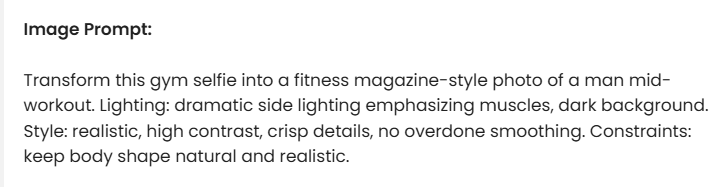
2. Body Fitness Image Prompt
Paste the prompt with your image and generate a fitness progress photo. Do you want to see yourself in a fitness image? This prompt can convert your simple image into fitness.

Image Prompt
3. Create Educational Infographics
I have created an infographic using the following prompt. Gemini created an outstanding infographic with proper details.

Infographic Prompt:
Create a professional infographic illustrating how the `Learn English Grammar` Grammar tips to learn. You MUST use the Search tool to gather factual information about `English Grammar` from YouTube.
The infographic you generate MUST obey ALL the FOLLOWING descriptions:
– The infographic MUST use different fontfaces for each of the title/headers and body text.
– The typesetting MUST be professional with proper padding, margins, and text wrapping.
– For each section of the infographic, include a relevant and fun vector art illustration
– The color scheme of the infographic MUST obey the FOLLOWING palette:
– #2c3e50 as primary color
– #ffffff as the background color
– #09090a as the text color-
4. Create Images Based on Your Instructions
Generate images using your own instructions. Choose a specific keyword for the image prompt, but do not discuss it in depth. Describe what you want to add and create useful images.
For better outputs, you need to write instructions in sequence. So, AI easily analyses your prompt. You can change the angle of the camera with exact words like “Side View, Overhead Shot, Low Angle, front-facing and Rear view.”
Check this, I have created the image using Nano Banan Pro:

I have written a very simple prompt to Gemini, it has created this image. But you can customise the prompt based on your requirements.
Prompt: Overhead shot of a men who stand lonely in front of the sun in the evening.
Here’s a detailed table list of different style with exact keywords. It helps to generate images using the style, angle and view names.
| Camera Angles | Shot Types | Lighting & Mood | Artistic Styles |
| Overhead shot | Close-up | Soft lighting | Flat vector illustration |
| Low angle | Medium shot | Studio lighting | Photorealistic |
| Eye level | Wide shot | Natural light | Watercolor |
| Side view | Flat lay | Backlit | Cyberpunk neon |
| Tilted angle | 360-degree view | Dramatic shadows | Minimalist |
| Bird’s-eye view | Extreme close-up | Golden hour | 3D render |
| Worm’s-eye view | Full body shot | Neon glow | Line art |
| Three-quarter angle | Product hero shot | High contrast | Pixel art |
| Front-facing | Macro shot | Overcast light | Oil painting |
| Rear view | Group shot | Candlelight | ARetro poster style |
It is extremely easy for creative users to generate images using these keywords. Determine your needs to create an image.
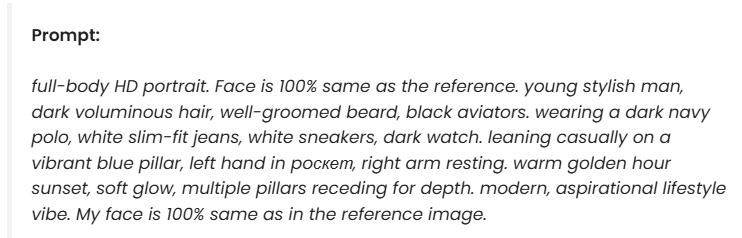
5. Young Stylish Man Prompt
Create your stylish image from a simple image. I changed the T-shirt colour and style, you can keep the same colour and style. Edit the prompt based on your requirements. I have tried the prompt and the image generated below.

Common Issues
1. Unwanted Results
Sometimes, Nano Banana does not generate images as you expect. It changes the styles, color and look as you want. Behind this unwanted result, you need to edit the prompt and fix the directions.
Solution
If you just write “Create a beautiful picture”. It will generate a simple image but not as you expect. So, change the way of prompting and get better results. Write a prompt like “Create a beautiful image in 16-year young boy, apply dreamy style and increase the contrast.”
AI understands input properly when details are described clearly. Prompts are essential to communicate with AI and convert expectations into visualisation.
2. Low Quality Image
Problem
It is a common error everyone faces when they upload a low-quality image. Gemini sometimes generates blurred images with low quality.
Solution
Upload an HD-quality image and add instructions. If you overwrite the prompt with unlimited exceptions at the same time, it may work better.
3. Long Processing Time
Problem
Particularly, users face a Long-time processing problem. This problem happens when you request to edit an image multiple times. Sometimes, users make two or more requests at the same time, which causes a long processing time error.
Solution
Request a prompt one time, do not send requests multiple times at one time. Be patient, when the first request is done then send the second request. If you still face a processing error, close the Gemini tab and reopen it. Make sure your internet speed is fast, sometimes it happens due to slow internet.
Conclusion
Everyone creates AI images for their daily use. I have described details on the best prompts that are trending nowadays. Millions of people generate images daily, some of them don’t know how to create images with right way.
I have discussed five prompts with the prompt and the results. Writing a prompt is a hard step for beginners. Writing with simple words will not bring results. I was also one of those users who didn’t know about prompting but when I realised that I was wasting time then I started learning prompts.
So overall, learn how to write a prompt and get results. Let AI understand your requirements then describe all requirements sequence-wise. That will be the right way to create images.